Kanban
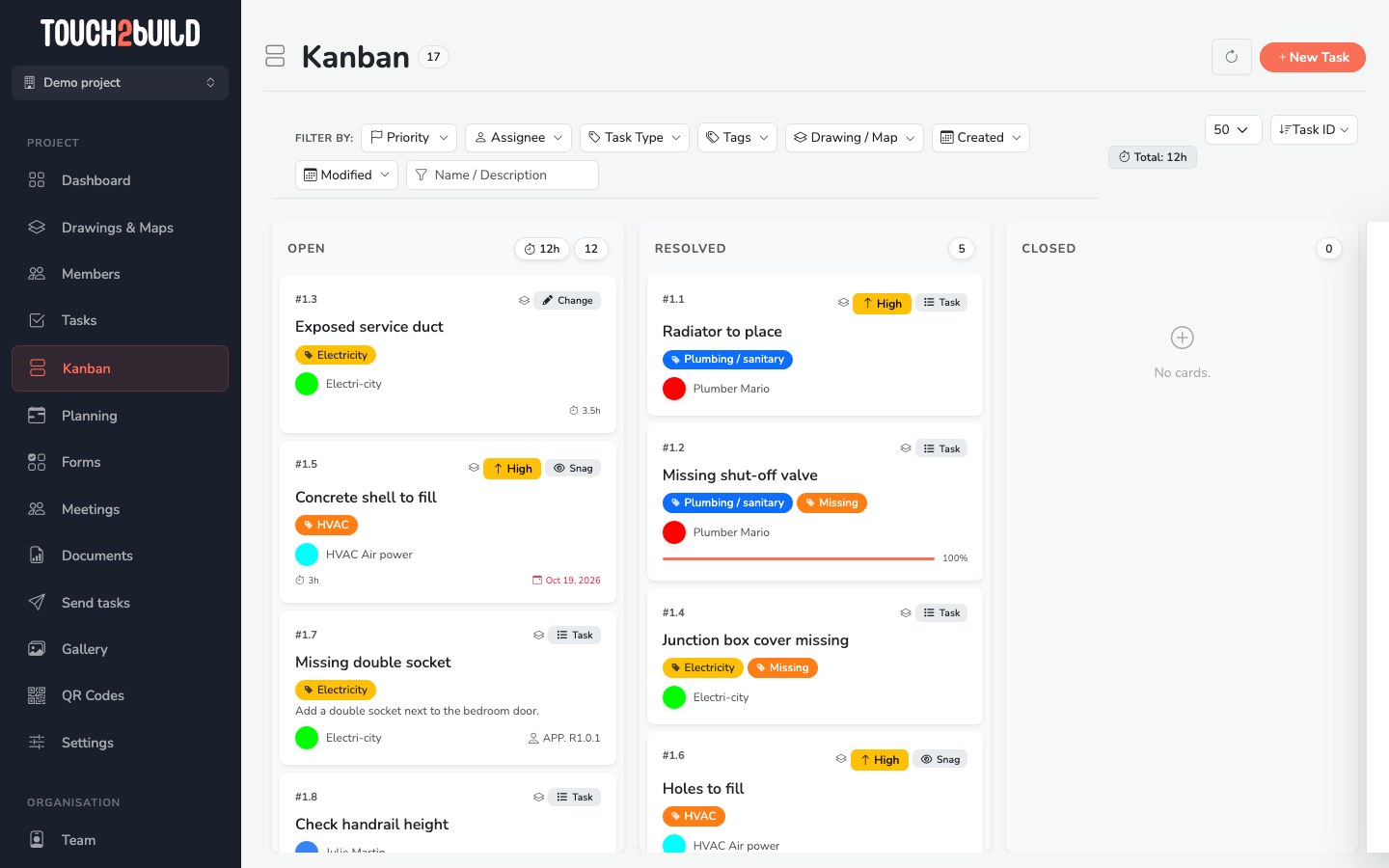
The Kanban board shows the tasks in three columns: Open, Resolved and Closed. It suits the site meeting and snag clearance.
Change the status of a task
Drag a card from one column to another:
- from Open to Resolved: the work is done;
- from Resolved to Closed: you checked it and you close it;
- from Resolved back to Open: the work does not comply, the task is reopened.
Note
A card can only be moved if your permissions allow you to resolve, close or reopen the task.
Read a card
Each card shows:
- the task number and title;
- the priority and the type;
- the tags;
- the assignee, with their colour;
- the progress and the due date, in red if it has passed.
Click a card to open the task details.
Filter and sort
The Kanban uses the same filters as the task list, except the status, since each column stands for one.
At the top right:
- the number of cards shown per column: 10, 50 or All;
- the order of the cards: number, name, drawing, assignee, priority or due date.
Prepare a meeting with a company
Filter on the Assignee to see only the tasks of one company. Then go through the Resolved column with them and close the tasks one by one.