Gallery
The Gallery gathers all the photos of the project's tasks, sorted by month. It is the fastest way to find a photo taken on site, without opening the tasks one by one.
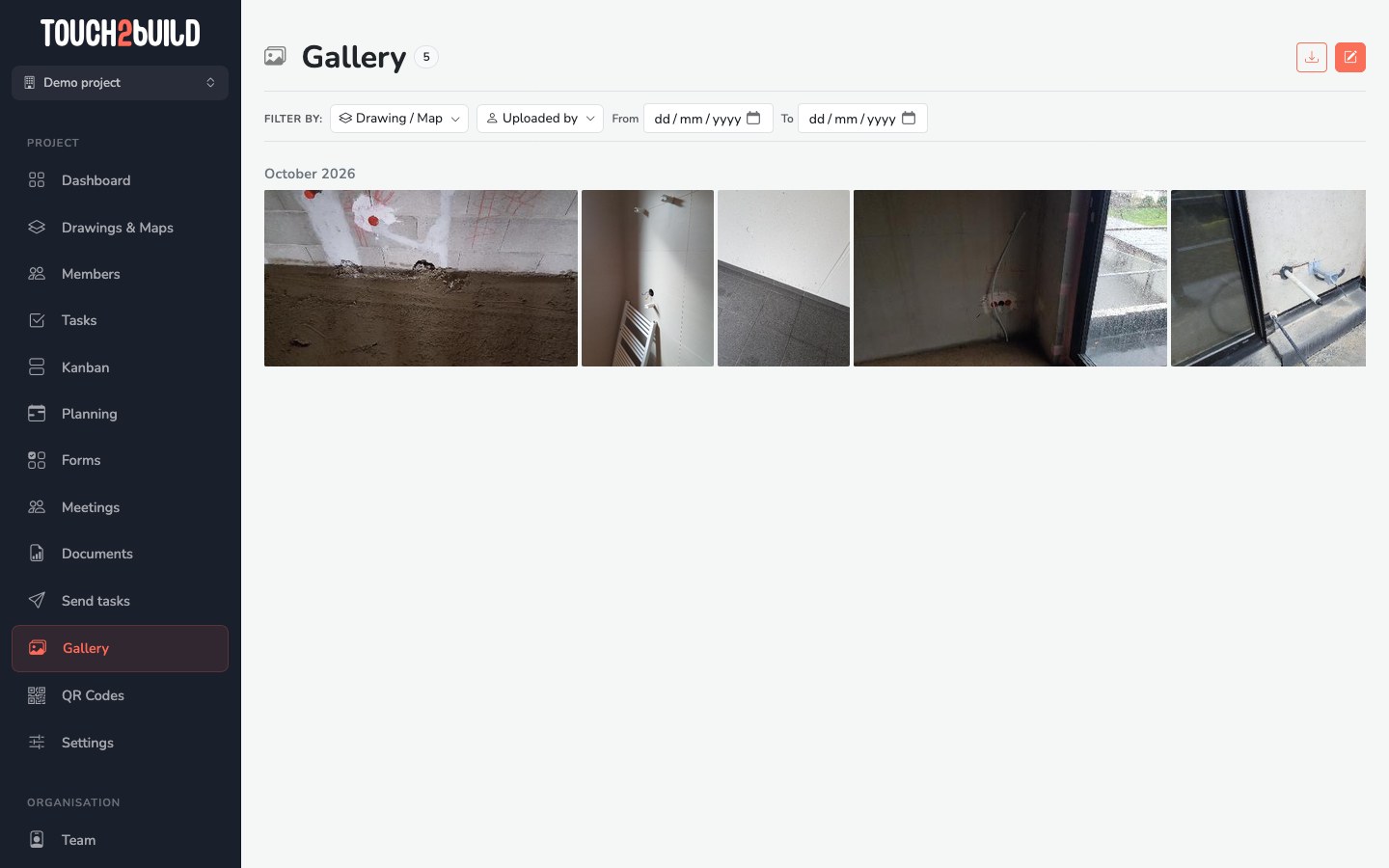
Who sees the gallery?
A member sees the gallery if they have the View Gallery permission. See Set permissions.
Filter the photos
The filter bar narrows the selection:
- Drawing / Map: only the photos of tasks placed on certain drawings or maps;
- Uploaded by: only the photos of one member;
- From / To: only the photos taken between two dates.
The number next to the Gallery title shows how many photos match the filters. Clear filters goes back to the full gallery.
Show the annotations
On site, the mobile app lets you draw on a photo to point out a defect. From the web, you can also annotate a photo from the details of its task. The button at the top right shows the photos with or without these annotations.
View a photo
Click a photo to open it full size. The arrows, or the thumbnails at the bottom, move from one photo to the next. The task title and the date appear under the photo.
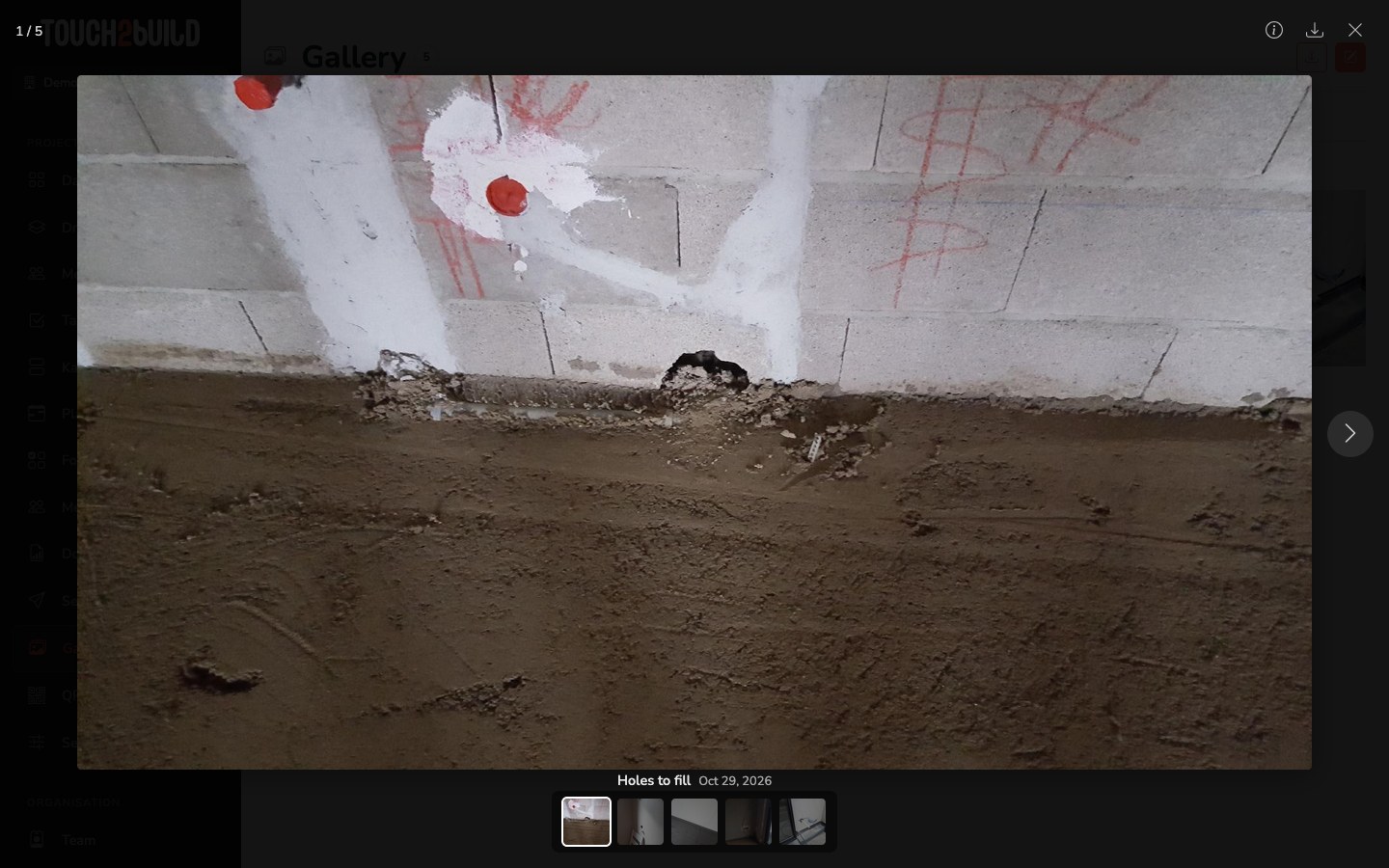
At the top right:
- shows the information about the photo;
- downloads the photo;
- closes the viewer.
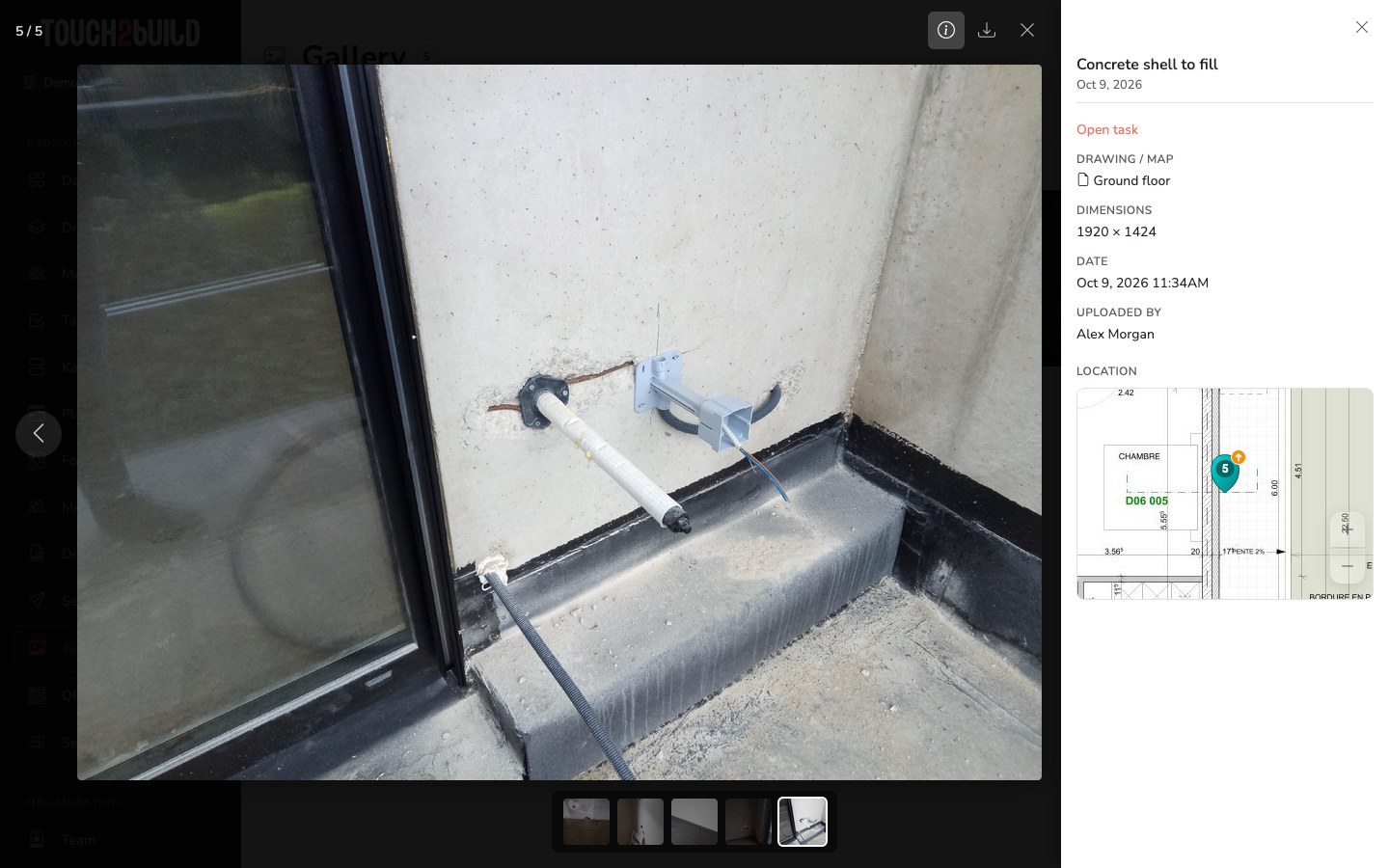
The information panel shows the task, the drawing or map, the date, the author and the location of the task on the drawing. For photos taken with a camera, it also shows the camera model and the shooting settings. Open the task takes you straight to the task.
Export the photos
The button at the top of the gallery exports the filtered photos. Set the filters first, for example one drawing and one week, then export.
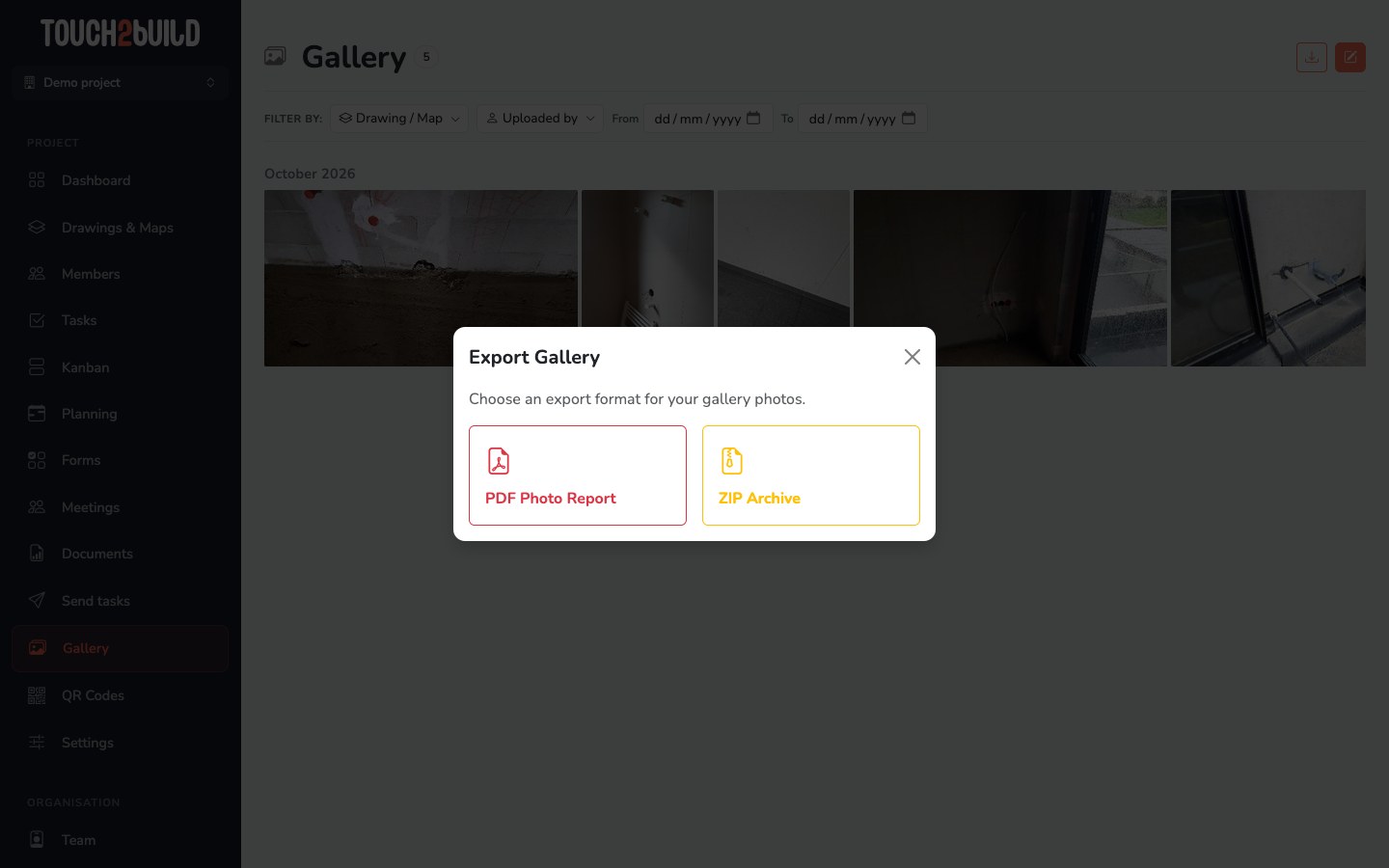
- PDF Photo Report
- A PDF document with the photos. Tick Show image titles to add the task title under each photo.
- ZIP Archive
- The original photo files, sorted By date, By drawing or Flat, in a single folder. Tick Include annotated versions to also get the photos with their annotations.
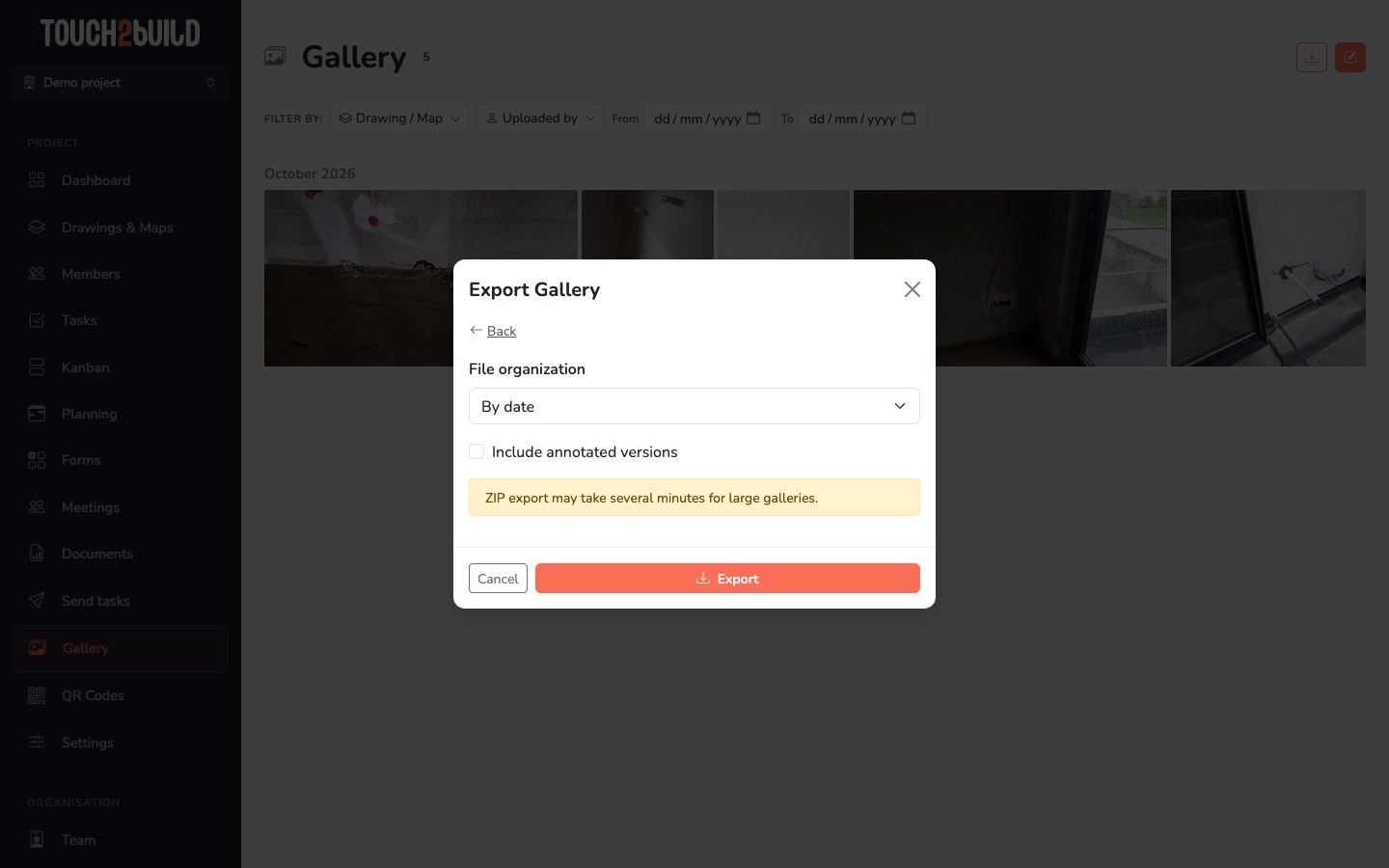
Click Export. Like the other reports, the export is prepared in the background and appears on the Documents page, where you download it.
Large galleries
A ZIP archive of several hundred photos can take a few minutes. You can keep working in the meantime.